The support tickets feature enables you to boost your customer satisfaction by providing them with speedy assistance. Your customers are able to open new support tickets and your team can work together to resolve customer issues.
You can create multiple departments (e.g. Sales, Support, etc). This is done via the settings section of the dashboard.
The best place to start is the Tickets page.
:: Main Menu > Support
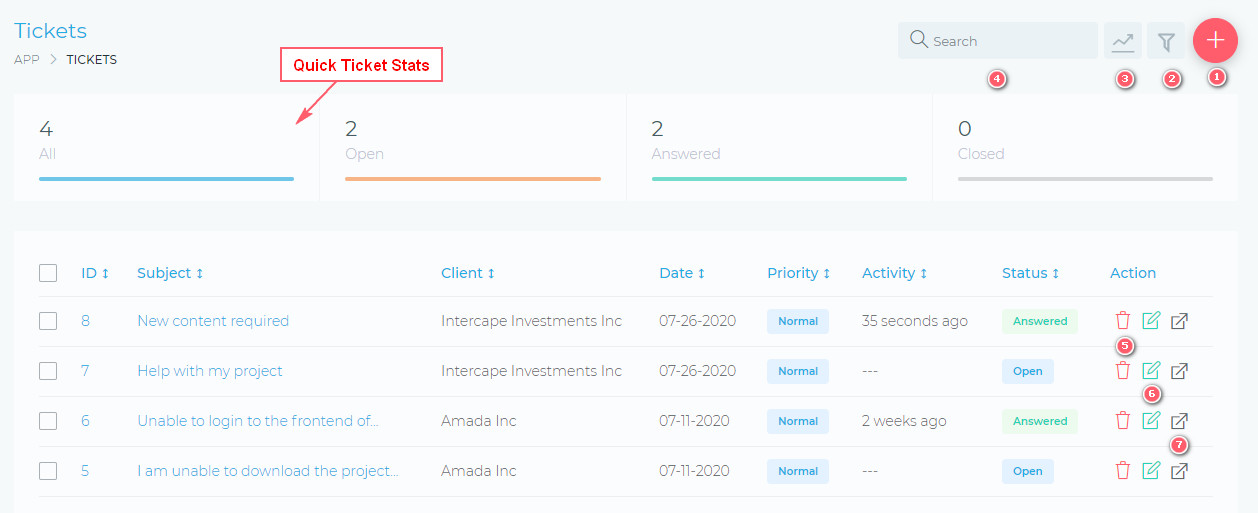
From this page, you are able to view and do the following:
- (1) Open a new ticket.
- (2) Filter tickets, using a detailed filter panel. You can filter tickets by dates, statuses, etc.
- (3) Toggle the quick stats panel.
- (4) Search your tickets, using the free text search box.
- (5) Delete a ticket.
- (6) Edit a ticket.
- (7) View a ticket.
Create A Support Ticket
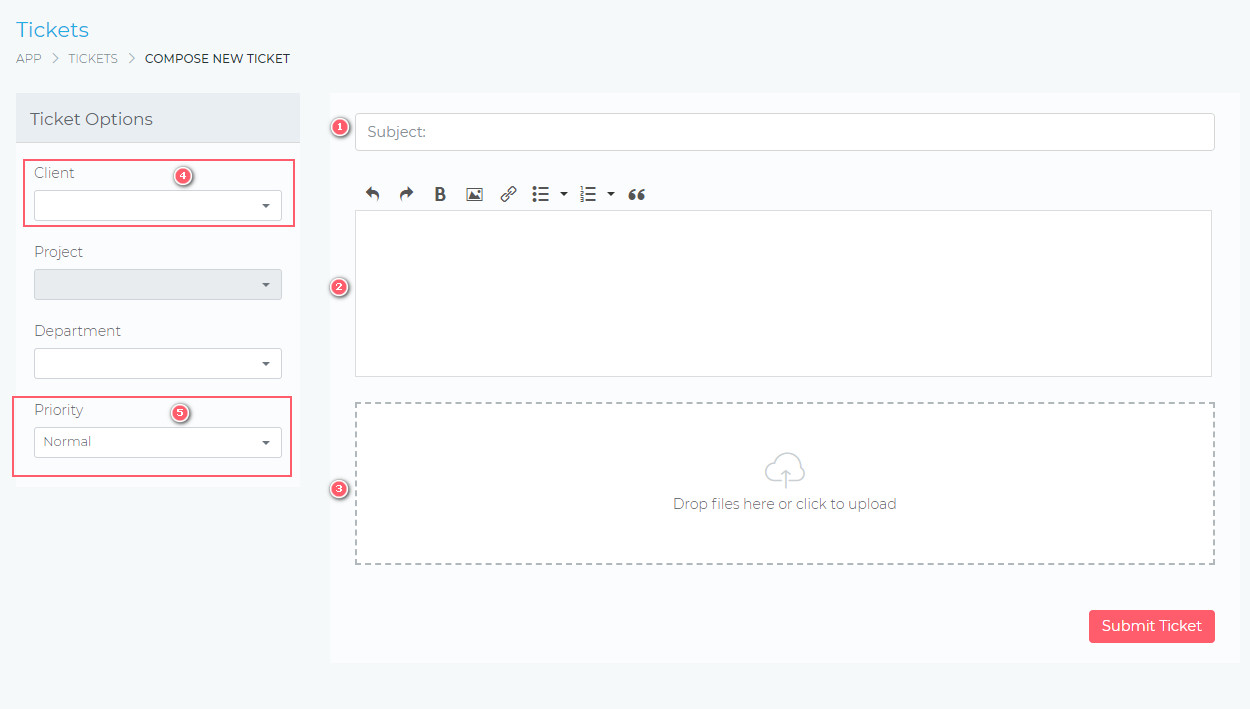
- (1) Ticket subject.
- (2) Ticket message.
- (3) Attach multiple files.
- (4) & (5) These are not visible on the client-side of the dashboard.
Reply A Support Ticket
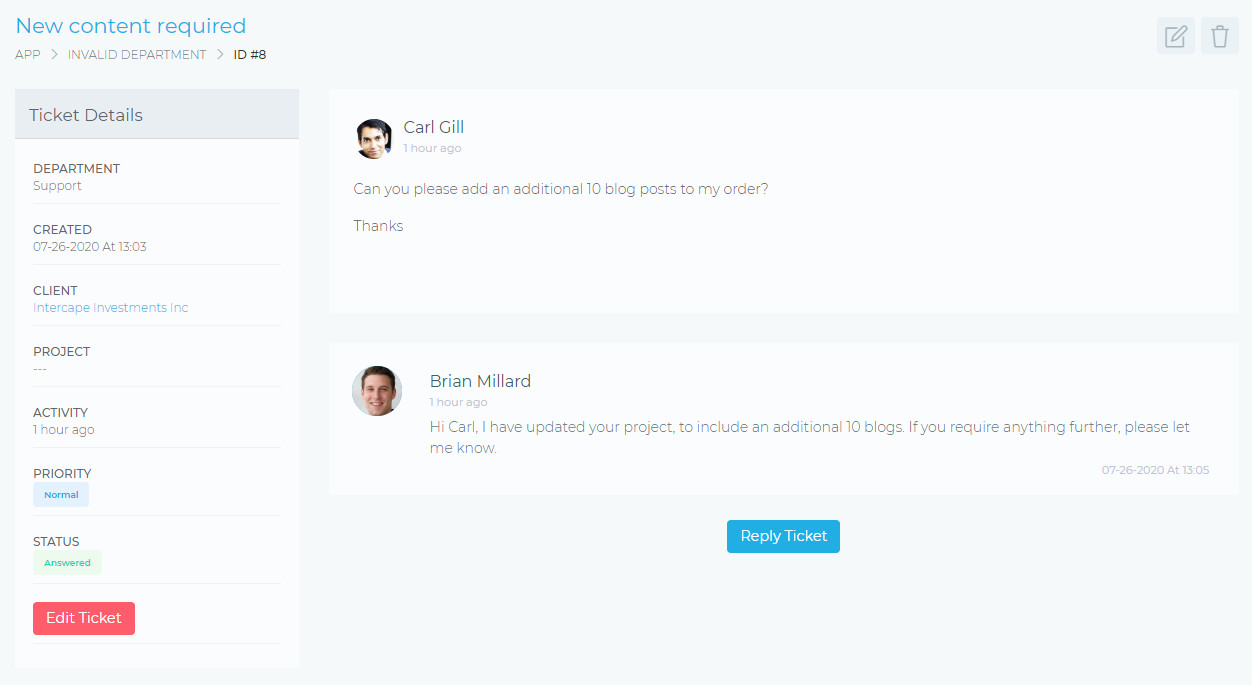
The image below shows the support ticket view. You are able to reply, change departments, change the priority, and attach files.
Facebook Comments