enables to work efficiently, by breaking down your projects into Milestones & Tasks.
Project Milestones are points along the progress path of your project. Milestones do not have target dates, but rather they focus on specific progress points that must be achieved for a project to be successful.
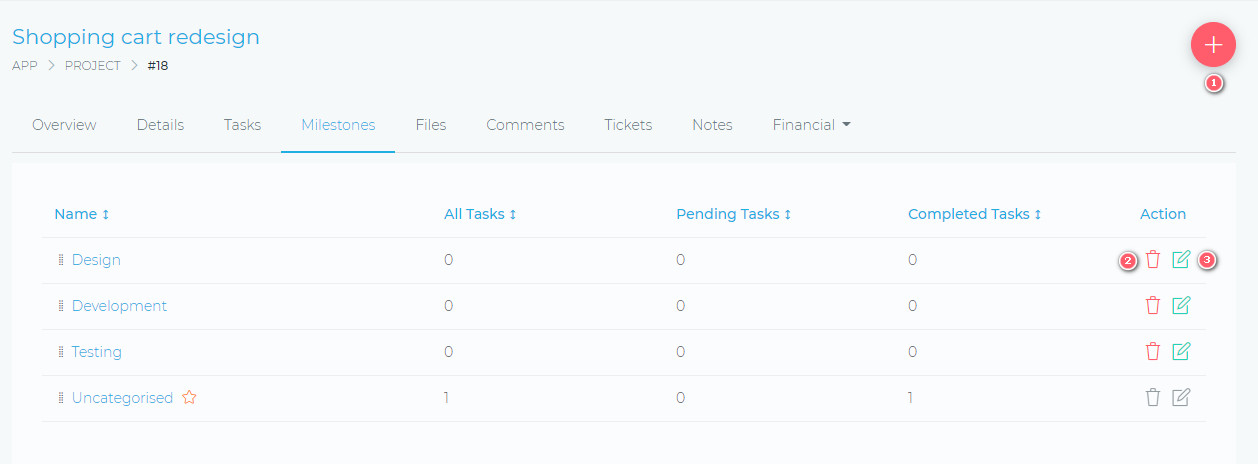
As the administrator, you can control how project milestones are used inside the dashboard. You do this via the dashboard settings panel
- Create default milestones, which will be applied whenever a new project is created
- Enable/Disable the team member’s ability to:
- (1) Create Milestones
- (2) Delete Milestones
- (3) Edit Milestones
When a milestone is deleted, there is an option to delete all its tasks, or the tasks will automatically be moved into the uncategorized milestone.
Facebook Comments