From this settings page, you will be able to set your application’s currency settings.
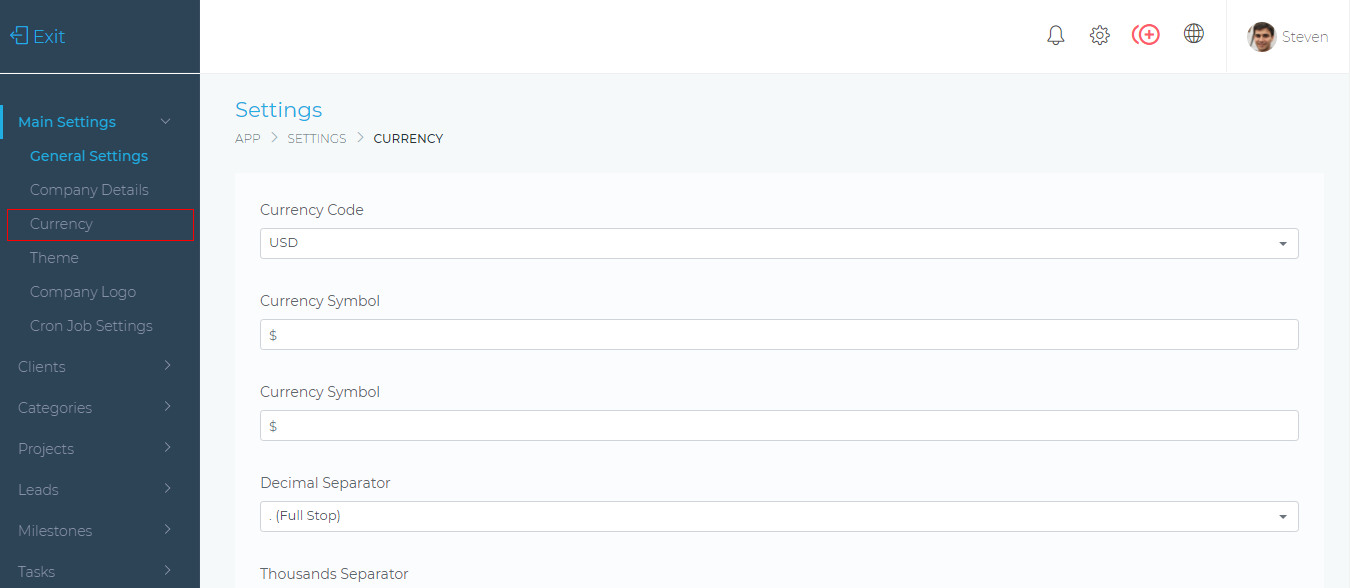
Currency Code
This is your currency’s ISO code. You can select it from the drop down list.
Currency Symbol
This is the currency that will be used for all billing in the application (e.g. Invoices, Estimates, etc).
This sets the symbol (common, full stop, etc) that is used for the decimal point when displaying numbers (e.g. 10.00).
Thousands Separator
This sets the symbol (common, full stop, etc) that is used when displaying money values (e.g. 1,000.00).
This sets the positioning of the current symbol. (e.g. $100.00 or 100.00$).
Facebook Comments