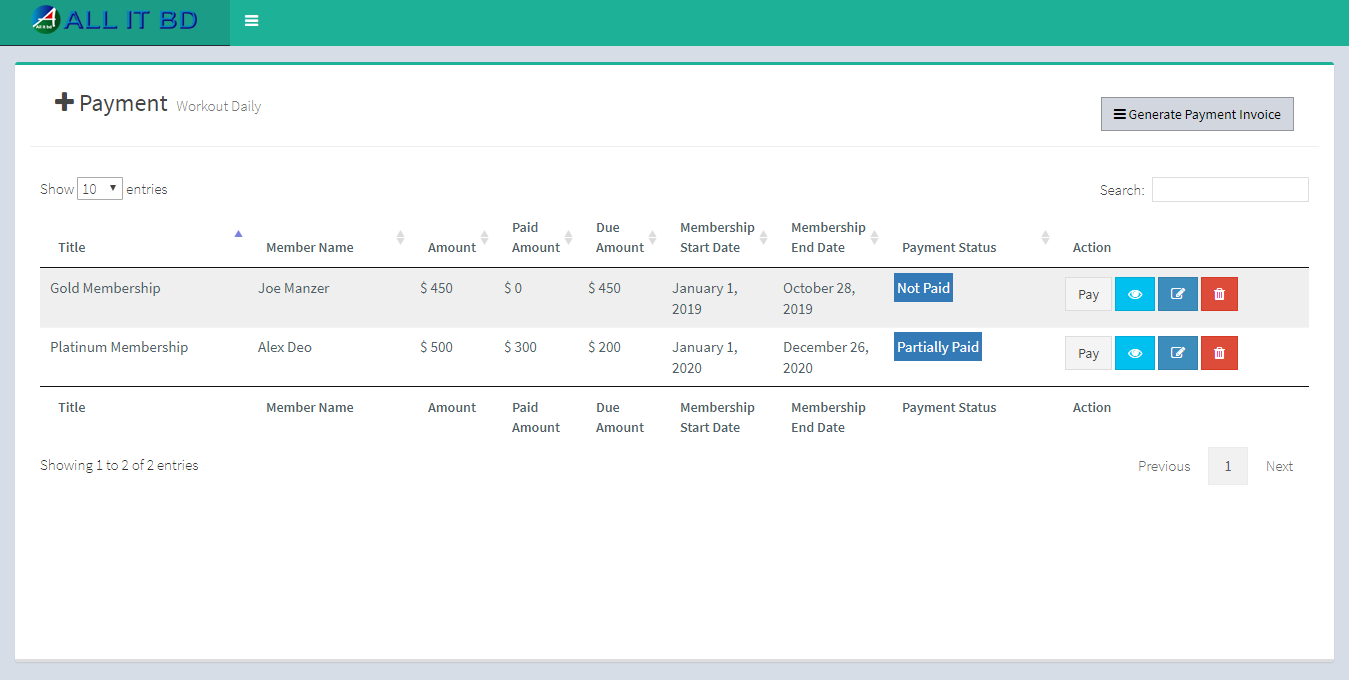
Here list out all member’s free payment and you can also pay and view invoice.
- Pay: admin can also pay fees. For that just click on Pay Button
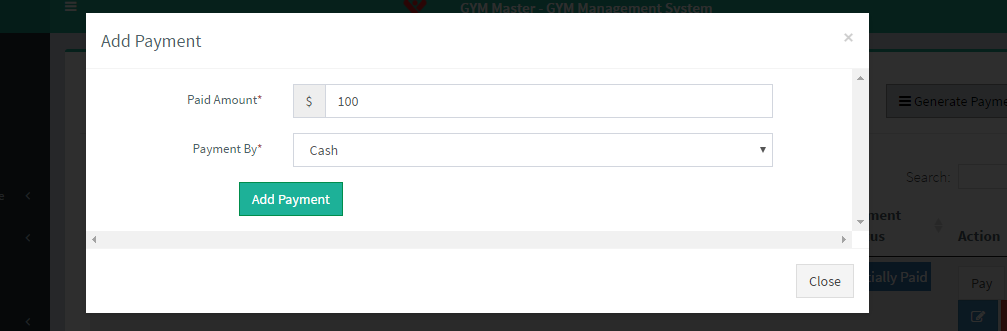
- Paid Amount: Enter fees amount.
- Payment By: Select payment method.
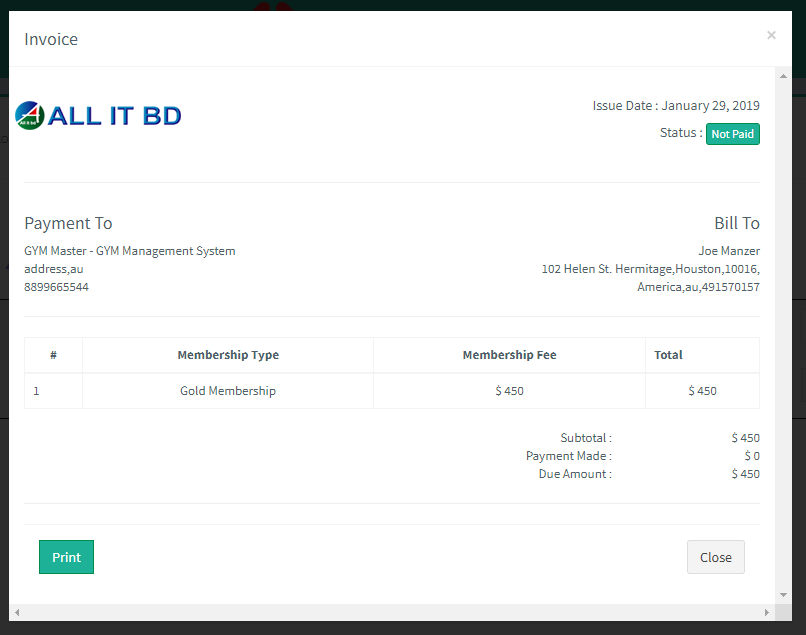
- View: admin can also view invoice of fees payment. For that just click on View Button.
Facebook Comments