⌘K

Gym Management Software With App

Frontend Login

Login Page

Admin

Membership Type

View Activity

Group

Add Group

Staff Member

Class-Schedule

Add Class

Schedule List

Member

View

Attendance

Activity List

Add Activity

Assign Workouts

Assign Workouts

View Workouts

Daily Workouts

Add Workout

Add Measurement

View Workout

Product

Add Product

Store

Sell Product

Event

Add Event

Accountant

Add Accountant

Payment

Income List

Add Income

Expense List

Add Expense

View Invoice

Message/Inbox

Compose

Sent

Sync Mail

Campaign

Notice

Add Notice

Report

Payment Report

Access Rights

Add Income

Last updated

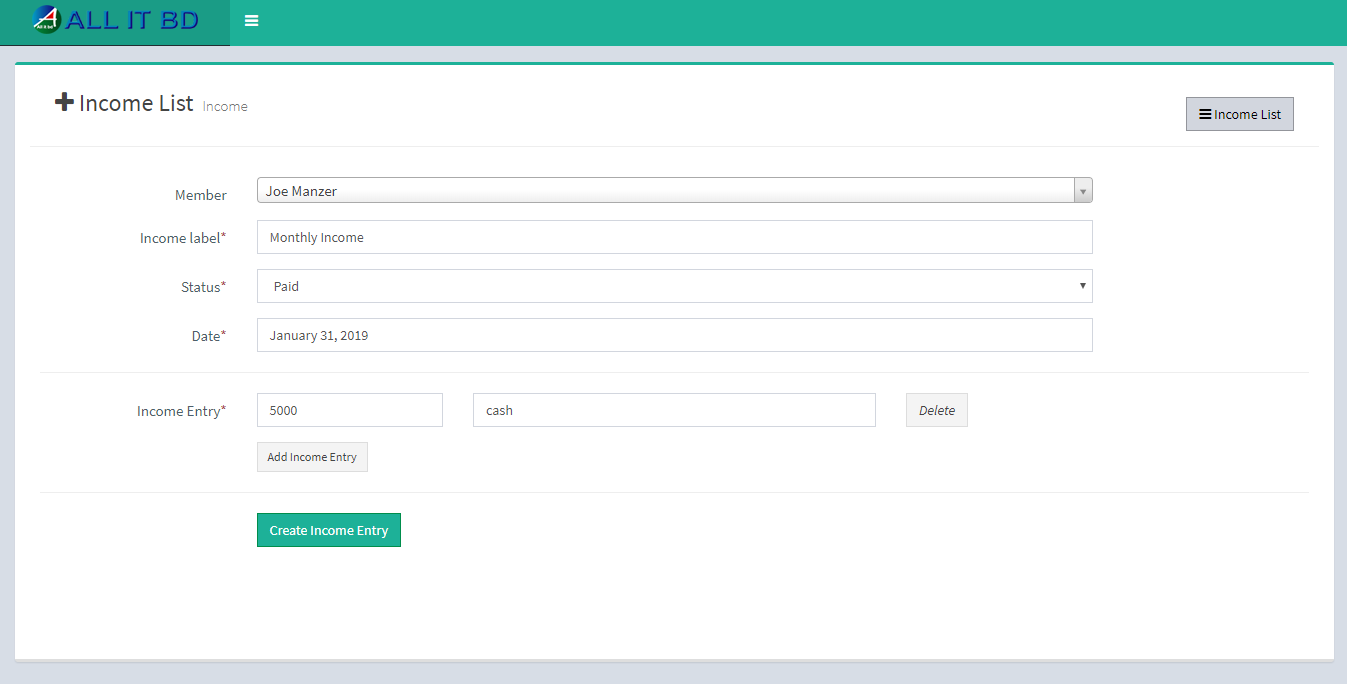
Must fill all required fields in “add Income form” to add Income.

  • Member: Select member for income.
  • Income label: Enter income label for income.
  • Status: select status of payment
  • Date: Enter date of payment receipt.
  • Income Entry: Enter details of payment.
  • Add Income Entry: If you want to add another row click on Add Income Entry button.
Facebook Comments

Still stuck? How can we help? Get Help