⌘K

Multi School, Madrasa, College, University Education Management Software

How to Start

Dashboard

SMS Settings

Theme

SMS Setting

Manage Users

Front Office

Leave Type

Designations

Employees

Teacher

Classes

Section

Subject

Syllabus

Material

Guardian

Student

Attendance

Absent Email

Absent SMS

Assignment

Exam

Exam Grade

Exam Term

Exam Mark

Manage Mark

Result Email

Result SMS

Promotion

Certificate

Library

Manage Book

E-Book

Transport

Hostel

Manage Room

Message

Mail & SMS

Complain

Announcement

Manage News

Event

Payroll

Accounting

Reports

Profile

Logout

Support

SMS Setting

Last updated

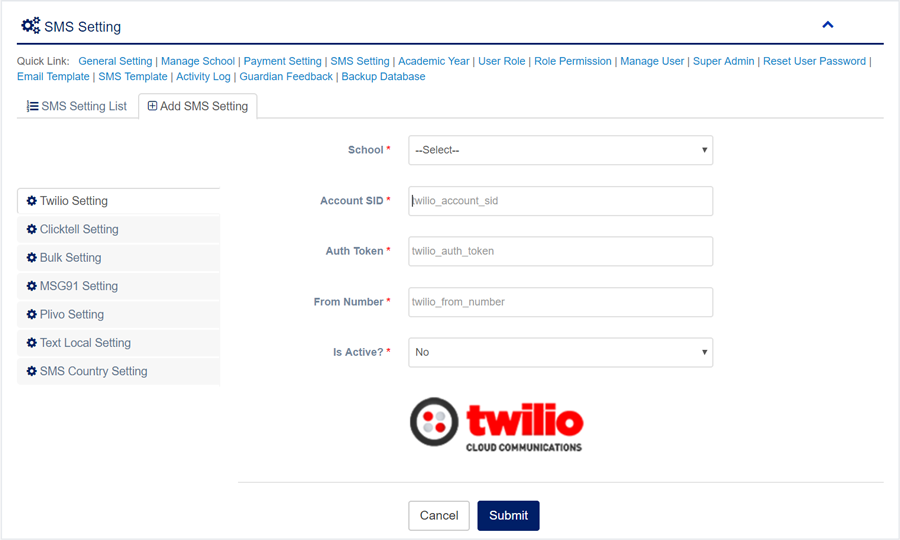
For Manage SMS Setting please follow the next steps:

1. Login to System Admin Panel.
2. Select SMS Setting sub menu under Administrator menu from left side bar.
3. To add/create new SMS Setting click Add SMS Setting  tab.
4. To edit SMS Setting Click Edit  button in the SMS Setting list.
5. To Delete SMS Setting Click Delete  button in the SMS Setting list.
6. You are done with Manage SMS Setting feature. 
 

Facebook Comments

Still stuck? How can we help? Get Help