For manage Super Admin please follow the next steps:
1. Login to System Admin Panel.
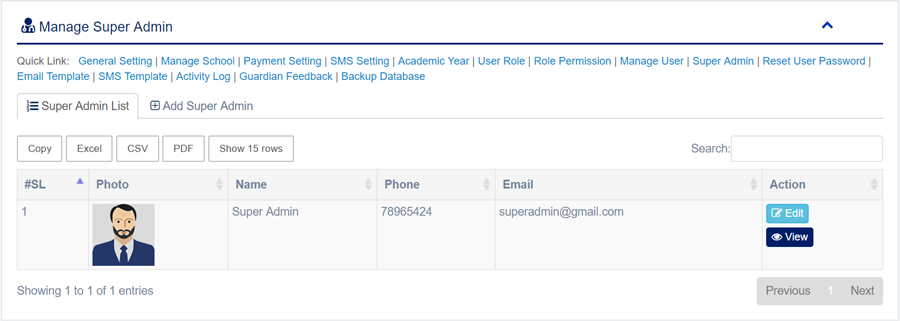
2. Select Manage Super Admin sub menu under Administrator menu from left side bar.
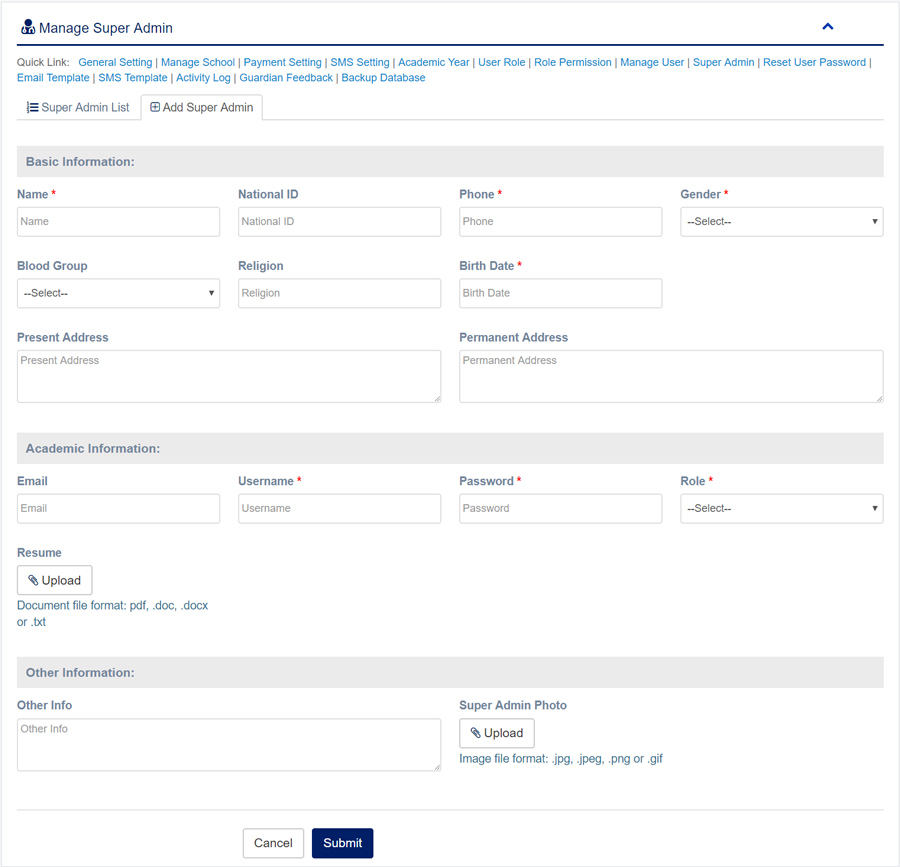
3. To add/create new Super Admin click Add Super Admin  tab.
4. To edit Super Admin Click Edit  button in the Super Admin list.
5. To Delete Super Admin Click Delete  button in the Super Admin list.
6. You are done with Manage Super Admin feature.
Facebook Comments