Opening balance:
Opening balance is the balance contact (customer or supplier) have at the beginning of using the software.
Suppose you’re shifting the data from another software to POS then the opening balance of the contact will be the balance amount which the contact has to pay/receive to/from you.
Opening balance for customer = Amount the customer has to pay
Opening balance for supplier = Amount you have to pay to the supplier.
Adding Opening balance
You can add an opening balance when adding/editing the supplier or customer. In the add contact screen, you will find the opening balance field.
View Opening balance payment
To view the opening balance of contact, go to List Supplier/customer, go to view, and on the view page, you will find the opening balance & opening balance due.
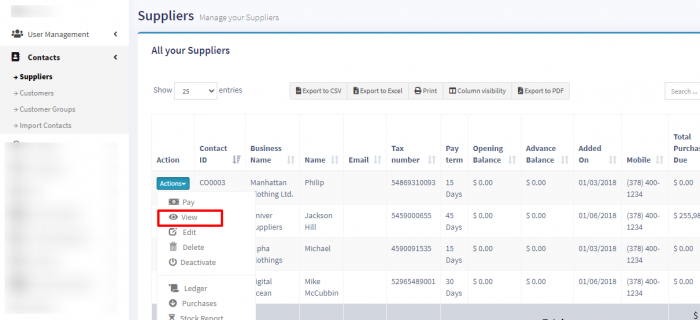
Pay or receive payment of opening Balance
Adding payment of the opening balance is the same as any other payments. Go to list Customer/Supplier -> Actions -> Pay.
It will open a popup modal where you can enter the payment amount.