Student Promotion To Next Class
Step 1: A list of student qualified for promotion to next class
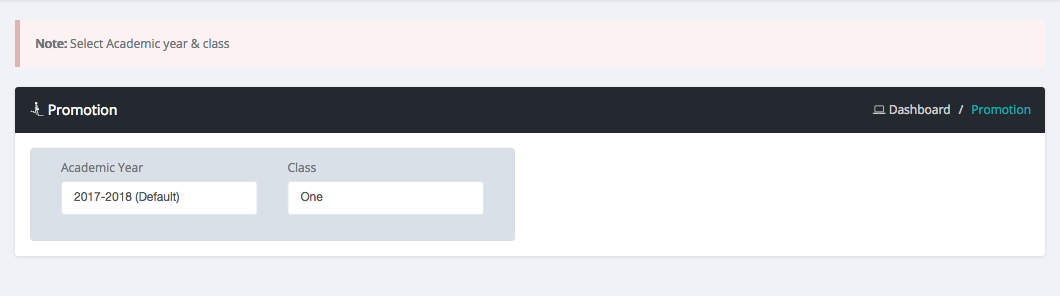
Login as admin or teacher
Select promotion menu in sidebar
Then select class
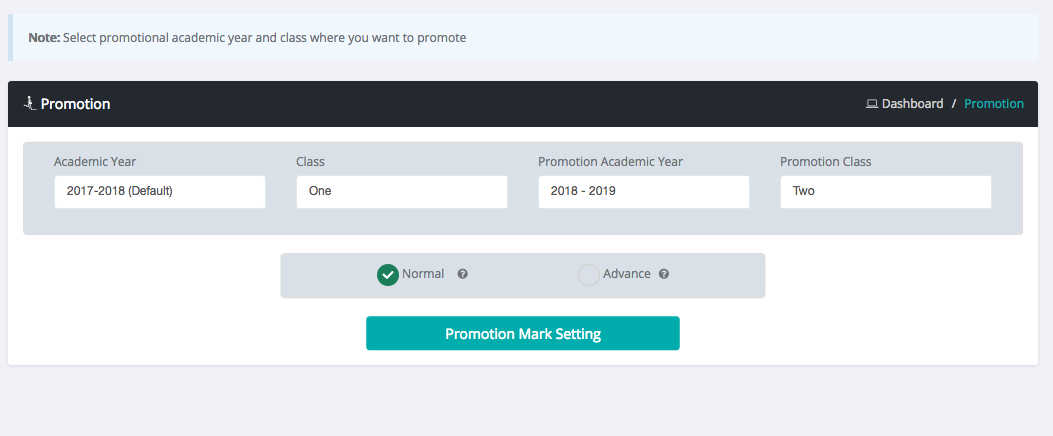
After select class the page load all subject under that class with extra field
Set the minimum number in each subject field for promotion to next class
Then Click Promotion Mark Setting Button
Step 2: Final step of student promotion to next class
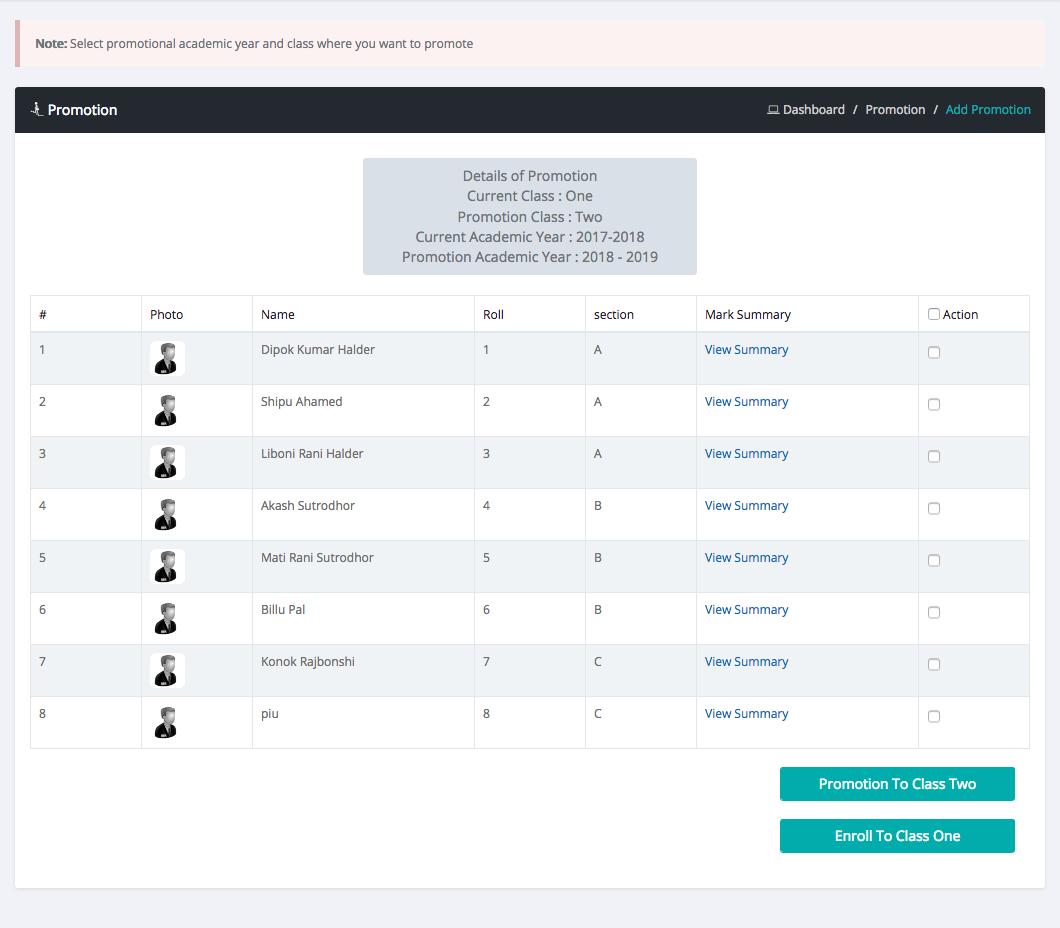
Status of student in result column
Check Student row Checkbox in Action Column for promote student to next class.
Then Click Promotion To Next Class Button
Facebook Comments