⌘K
e-Commerce Website With Software
📄
System flow chart
📄
Web setting
📄
Setting
📄
Shipping Method
📄
Slider
📄
Block
📄
Link Page
📄
Our Location
📄
About Us
📄
Web Footer
📄
Add Coupon
📄
Software Settings
📄
Setting
📄
Manage Company
📄
Payment Get way
📄
Email Configuration
📄
Language Settings
📄
Update Web Color
📄
Update Dashboard Color
📄
Add User
📄
Select Theme
📄
Sms configuration
📄
setting
📄
SMS Template
📄
Payment with
📄
Currency setup
📄
Overall setup
📄
Unit
📄
Variant
📄
Supplier
📄
Product
📄
Gallery
📄
Product Purchases
📄
Stock
📄
Bank
📄
Brand
📄
Tax
📄
Category
📄
Accounts setup
📄
Add Accounts
📄
Manage Accounts
📄
Receive
📄
Payment
📄
Accounts Summary
📄
Cheque Manager
📄
Closing
📄
Closing Report
📄
Order
📄
New Order
📄
Manage order
📄
Store setup
📄
Store Transfer
📄
Manage Store Product
📄
Invoice setup
📄
New Invoice
📄
New POS Invoice
📄
Report Summery
📄
support
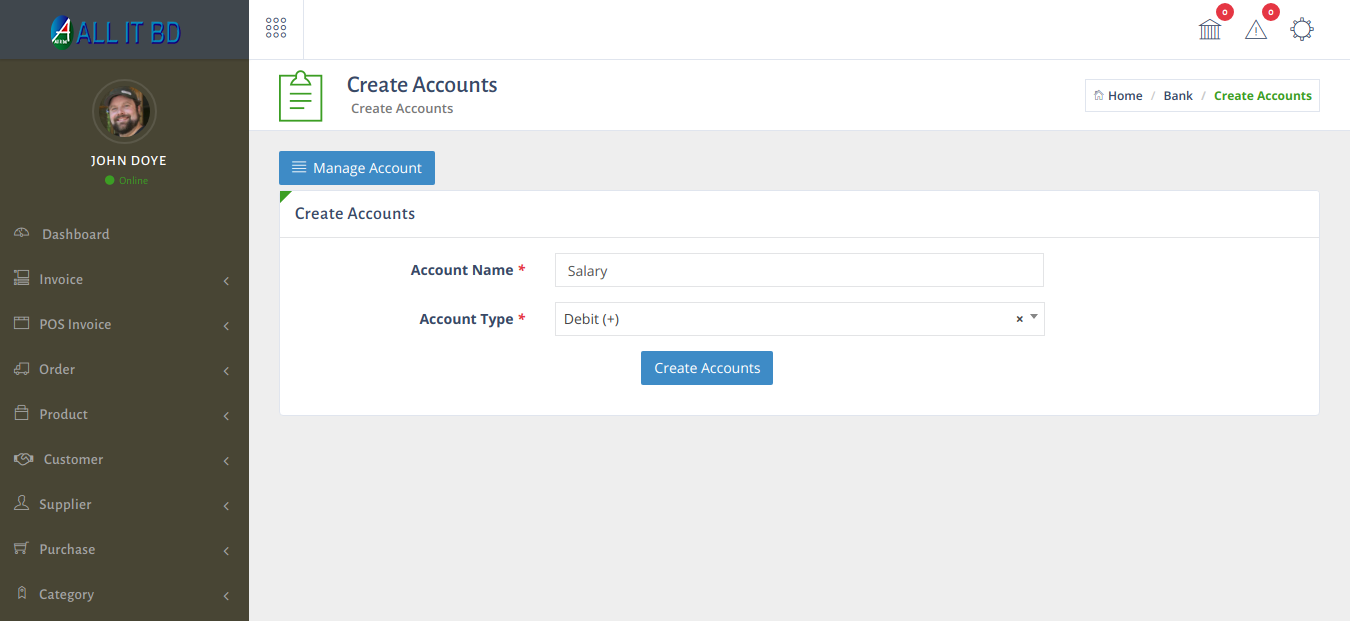
Add Accounts
Home
/
e-Commerce Website With Software
/
Accounts setup
/
Add Accounts
Last updated
07/04/2021
Facebook Comments
Still stuck? How can we help?
Get Help
Was this article helpful to you?
Yes
(0)
No
(0)
Manage Accounts
→
Print
Scroll